How it drags now
- The same details get typed into the inbox, a spreadsheet and the accounts.
- Someone has to remember the next step.
- Quotes, jobs and invoices live in different places.
- Following up depends on who has a spare hour.
Intelligent systems for Australian service businesses
We give established service businesses their hours back by building intelligent systems that allow them to focus on what matters.
Tell us what's slowing you downFixed price, quoted upfront · You own it · No lock-in
Illustration: Inbox · 214 unread, CRM, Shared drives, Xero, Meeting notes, Things only Sam knows flow into a central intelligence layer. You ask it questions on a dashboard or in WhatsApp or Slack. Example question: Where's the Example Pty Ltd tax return up to? Example answer: Waiting on two documents from the client. A chase email is drafted for you to approve. Example data, fictional names.
Why it gets harder as you grow
When the business was small, it all lived in one head. Now there's a team, a few apps, and a lot of "where's this up to?"
What changes on the desk
One place for the work. Example data, fictional names.
One new client, from first email to first piece of work
One new client, from the first email to the first piece of work. The steps a person used to remember now happen in the hub. You still approve what goes out.
1 of 5
B. Sample · New client enquiry
2 of 5
Engagement letter and checklist drafted
3 of 5
Missing documents listed
4 of 5
Info gathered from inbox, Xero and drives
5 of 5
File complete → work can start
IllustrativeFictional client. Steps vary by business.
Intelligent systems we build
It connects your email, CRM and website. It can connect your ad, content and social data to the same hub, with AI-drafted reports and content you approve. That covers Meta Ads, Google Ads, LinkedIn and GA4. A person approves every action. Nothing is bought or posted on its own.
Enquiries land in one place
Clients and jobs stay in sync
Forms come in as work
Meta Ads, Google Ads, LinkedIn, GA4. Reports you approve.
Drafts only. Nothing posts until you say so.
Invoices and bills, ready to check
12Active jobs
5To invoice
2Need you
Example data. Fictional names.
Today's jobs, who owes you, and which clients are waiting, in one list.
You can see every step.
When one step is done, the next is prepared. Anything a client sees still waits for a person.
Only the buttons the crew, office or account managers need. New starters pick it up in an afternoon.
| Supplier | Example Supplies |
|---|---|
| Amount | $612.40 |
| Job | 1042 · Sample Co |
Nothing is filed until a person approves it.
It pulls the fields off a supplier invoice. A person checks them, then it can be filed.
All screens are illustrative, with fictional names and example data.
Illustrative
Example only. Your first month depends on your tools and what we find in the audit. A person approves every action.
How it works
Fixed price · You own it · No lock-in
01
It starts with a phone call, or we come out and meet you in person.
What you get
A first conversation about how the work moves.
02
Phase 1
A Systems Audit and Blueprint. You get a fixed-price quote, and nothing is built until you say so.
What you get
The blueprint and a fixed-price quote.
03
Phase 2 · 4 to 8 weeks
We build it, and you own it. Your team gets training, and the work is covered by a 30-day warranty.
What you get
The system, training, and a 30-day warranty.
04
Ongoing
The intelligence layer keeps getting sharper. A person approves every action.
What you get
Ongoing improvement, for as long as you want it.
It gets better the more you use it
Once it's live, the intelligence layer learns how your business actually runs: your clients, your jobs, your way of doing things. The more your team uses it, the better its answers and drafts get. It spots what needs you sooner and gets more of the routine work right the first time. A person still approves every action.
What you get
Nothing goes to a client until you or your team approve it.

For more than ten years I've worked in technology across Silicon Valley and Australia. In that time I've watched technology, and now AI, change how we live and work, faster than most of us expected.
I've also watched a lot of small businesses get left behind. Not because they weren't good at what they do, but because they couldn't keep up. The tools moved too quickly, and nobody was explaining them in plain terms.
That's why I've come back home to Australia. I want to help small and medium businesses understand how AI is changing their world, how it will affect them, and most importantly how to use it to grow for the better.
If that sounds like your business, I'd love to hear from you.
Barry Winata, Founder
Names and logos belong to their owners. Mentioned for compatibility only.
Slack is a trademark and service mark of Slack Technologies, Inc., registered in the U.S. and other countries.
Pre-revenue ideas, one-off fixes, or businesses outside these kinds of work, for now. We take on two builds a month.
FAQ
We build custom operations technology for the business, then hand it over. We work out what you need, set it up, and train your team. We don't sell a product or a licence.
The build is 4 to 8 weeks, and it starts only after you approve the plan.
No. The build stands on its own. The later phase is optional and month to month. If you stop, you still own everything we've built.
A person does. Nothing goes to a client, and nothing moves money, until you or your team approve it.
The IP, in full. It's built on your own accounts. There is no lock-in.
Two client builds a month, at most.
Email runtime@workstak.co or use the form. We'll sit down with you and map where the hours are going. You keep the plan either way. We reply within 2-3 business days.
Essays from our newsletter on how AI is changing the way businesses run.
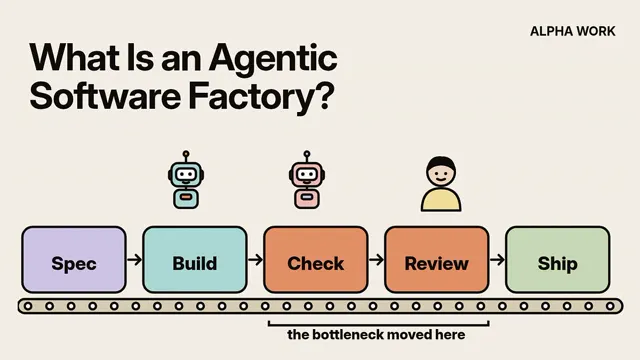
Why the way software gets built is fundamentally changing, and what it means for your career and business
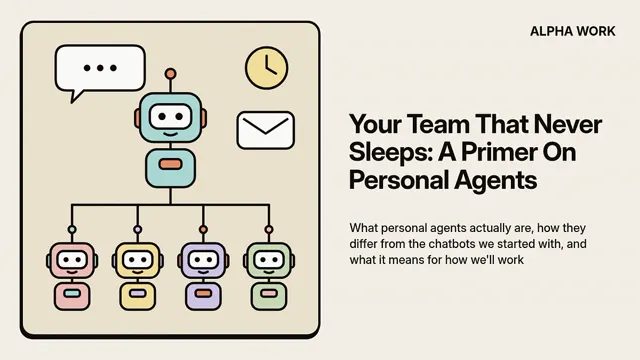
What personal agents actually are, my experience with them, how they differ from the chatbots we started with, and what it means for how we'll work
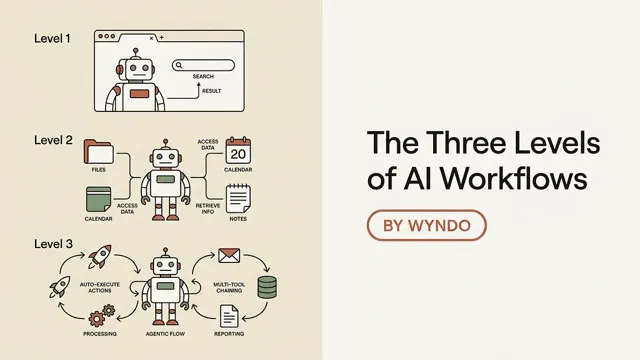
A primer on how to master the move from beginner to advanced AI operator

How to bridge the billion-dollar integration gap and have your best shot at selling AI-native products into the Enterprise...