What AI Can Actually Do for a Trade Business
The admin it can take off you, the calls it can't make, and how to try it without wasting money.

Jump to
Jump to: Short answer · What it can do · Job by job · What it can't · Risks · Where to start · Templates · Checklist · FAQ
Short Answer
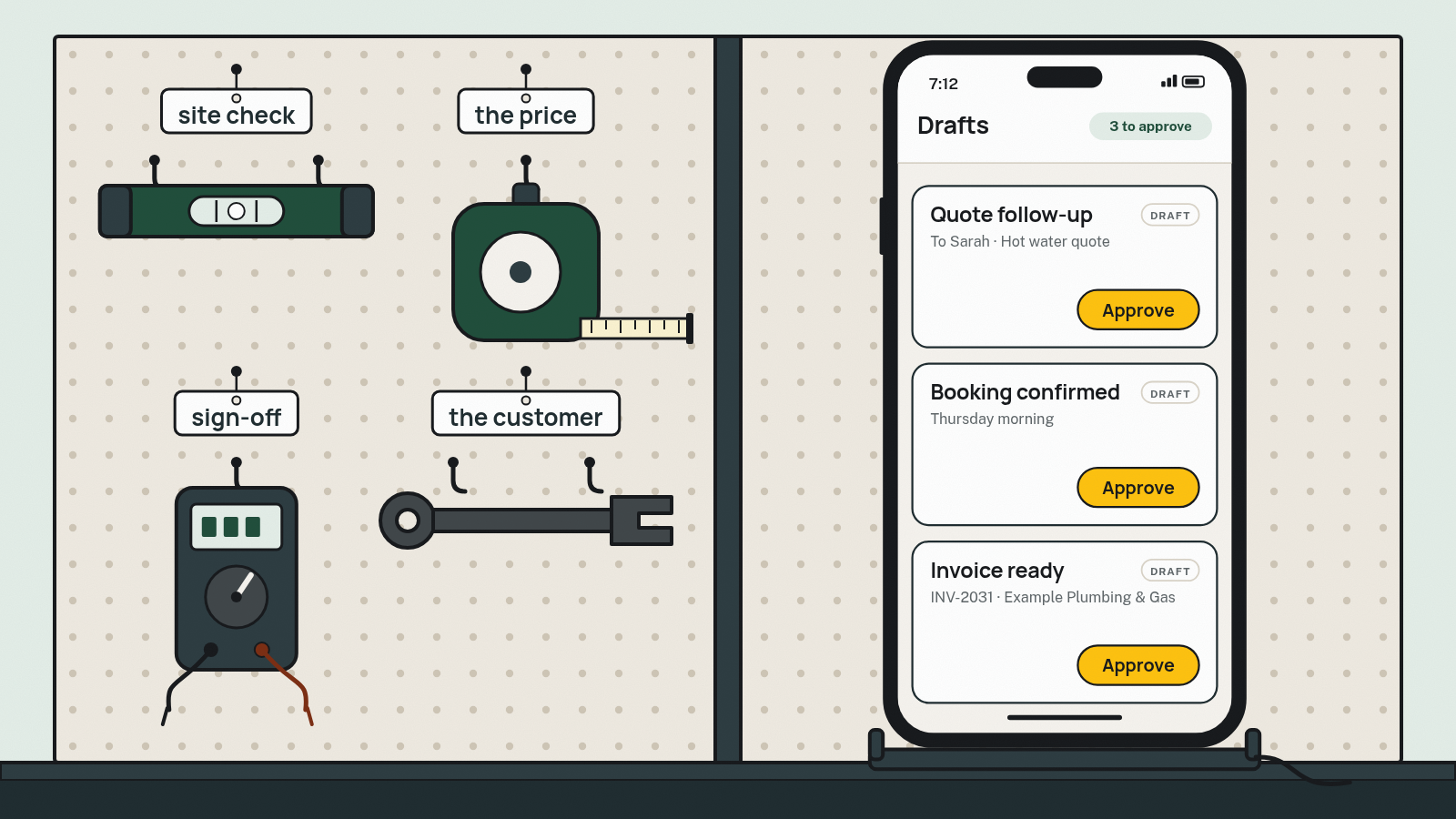
AI is useful in a trade business for the admin around the job, not the job itself. It can draft quotes from your notes, follow up quiet quotes, sort enquiries and turn job notes into invoices. It can't inspect a site, set your price or sign off safety work. A person checks everything before it goes out.
What Can AI Actually Do for a Trade Business?
In plain terms, the AI tools on offer today read and write text and voice. That means they can draft, sort and summarise. They can't hold a multimeter.
The rule of thumb: AI is good at writing and sorting you can check at a glance, and bad at anything you can't check. A follow-up text is easy to check. A diagnosis of what's behind a wall isn't.
That lines up with the government's own advice. business.gov.au lists "generating and sending quotes and invoices" and "scheduling appointments" among the everyday tasks AI can help with. It also warns that generative AI can "hallucinate", presenting "false or misleading information as facts", so you need to check what it produces before you use it.
So the useful question isn't "should I use AI?" It's "which bit of admin eats my evenings, and could a draft I check in 30 seconds replace it?"
Where Does AI Save Hours, Job by Job?
Here's how it plays out across six admin jobs, plus the part that never leaves you. The pattern is the same every time: AI drafts, a person checks, and some things never leave a person's hands.
| Job | AI can draft or do | A person checks | Stays with a person |
|---|---|---|---|
| Quote follow-ups | The nudge and close-out messages; stops when they reply | Tone, timing, who gets one, the quote's still valid | Any reply or negotiation |
| Job intake and booking | Collecting name, suburb, job type, urgency and photos into one list | Details are right, urgency is right, booking time | Whether you want the job; emergencies, and anyone who asks for a person |
| Scheduling and dispatch | Suggested slots; a day sheet with address and access notes | Durations, travel, who's skilled for it | Reshuffles that break a promise to a customer |
| Job notes to invoice | Invoice lines from voice notes or crew notes | Quantities, price, GST, whether it's already paid | Any change to the agreed price; disputes and payment plans |
| Review requests | The ask, sent after the job is marked complete | That they agreed to texts at booking, and the timing | Replies to negative reviews |
| After-hours enquiries | An auto-reply that says it's automated, and the details collected. No quotes, prices or advice | Every enquiry, before the call-back | Any quote or advice; gas, electrical and other safety calls |
| Pricing and site calls | Nothing beyond tidying the wording | — | Always: site judgement, the price, compliance sign-off |

Quote follow-ups
Most quiet quotes aren't a no. They're buried, unclear or waiting on someone else. AI can draft a short, planned sequence of nudges and stop the moment the customer replies. You check the tone and who gets one. We covered timing and copy-paste templates in Why Customers Ghost Your Quotes.
Job intake and booking
Enquiries arrive by missed call, voicemail, web form, email and text. AI can pull the same details out of each one (name, best contact, suburb, what's wrong, how urgent, photos) and put them in one list instead of five places. You decide whether you want the job and confirm the time. Anything urgent or unsafe goes straight to a person.
Scheduling and dispatch
AI can suggest slots based on what's already booked and draft the day sheet for each crew member: address, access notes, gate codes, what to bring. A person still confirms durations, travel between jobs and who's actually skilled for the work. When a reshuffle means breaking a promise to a customer, a person makes that call.
Job notes to invoice
This is where a lot of evenings go. One tradie on r/Aussietradies put it plainly: "typing them up at night is cooked." AI can turn a voice note or the crew's job notes into draft invoice lines in your job app or accounts software. You check quantities, rates, GST and whether a deposit's already been paid. AI works best here when it can only use your rate list, not guess.
Review requests
AI can draft the ask once a job is marked complete, so it goes to every finished job rather than whenever someone remembers. You choose the timing, and we treat these texts as marketing by default, so get the customer's OK to text at booking (see the templates below). The ACCC's rules apply in full: it's illegal to create fake reviews or arrange for others to, businesses shouldn't suppress or remove genuine negative reviews, and any incentive must apply whether the review is positive or negative and be clearly disclosed (ACCC). Replying to a bad review is a person's job.
After-hours enquiries
This is where you need the firmest rules. An automated reply should say it's automated, collect the details, and hand every enquiry to a person for a call-back. It never gives quotes, prices or advice. Anything that sounds like an emergency (a gas smell, sparks or exposed wires) is flagged to a person straight away, and the reply points the customer to the right emergency line. AI receptionists are a bigger topic, and they deserve their own guide.
What Can't AI Do for You?
This is the honest part, and it's longer than most AI guides make it.
- Site judgement. It hasn't seen what's behind the wall, under the floor or up in the roof. Photos help you quote; they don't replace a look.
- Pricing calls. If you don't give it your rates, it'll make some up. Your price reflects your costs, your margin and how much you want the job. That's your call.
- Safety and compliance sign-off. Your licence, your name. Don't let an AI tool send DIY advice on licensed work, or anything that reads like a sign-off.
- The customer relationship. business.gov.au says AI is "no substitute for building a real human connection with customers". The call where you explain why the switchboard needs replacing is the job.
- Fixing a messy process by itself. If jobs live on sticky notes, in three apps and in one person's head, AI just automates the mess faster. business.gov.au notes custom AI solutions "need to be trained on high-quality, well organised data".
- Replacing your crew or office staff. It takes the typing and chasing off them, so they get time back for customers and skilled work. business.gov.au tells owners to "explain that you're not introducing AI to replace employees", and it's how we answer the same question ourselves.
What Could Go Wrong?
Three things go wrong most often, and each one has a simple fix.
1. Wrong answers nobody checked
AI writes confidently even when it's wrong. A made-up line item, the wrong suburb or a promised date nobody agreed to all cost you money or trust. business.gov.au is blunt: "Your business is responsible for everything your AI tools do."
Fix: a named person approves anything customer-facing or money-related before it goes out, and you have a clear way to switch the tool off if it misbehaves.
2. Customer data in the wrong place
Customer names, addresses, phone numbers and photos of the inside of someone's home are personal information. As a matter of best practice, the OAIC recommends organisations "do not enter personal information, and particularly sensitive information, into publicly available generative AI tools", and says public-facing tools like chatbots should be "clearly identified as such" (OAIC, AI products guidance).
The part most guides leave out: most small businesses with annual turnover of $3 million or less aren't covered by the Privacy Act 1988, but some are. Regardless of turnover, it covers businesses that, for example, buy or sell customer details (such as lead lists), work under a Commonwealth government contract, are related to a larger business the Act covers, or have opted in. Turnover here means all income from all sources (OAIC, Small business). The exemption may change, so check the OAIC's page for the current position.
Fix: use the OAIC's small business checklist to see where you stand, and treat its AI guidance as good practice either way. Your customers won't care whether you're technically exempt.
3. Cost creep
One app answers the phone, another writes quotes, another chases reviews. Each has its own login and monthly fee, and none of them talk to each other. It adds up quietly.
Fix: before adding anything, list every AI subscription you pay for, its monthly cost in AUD, whether that's GST-inclusive, and whether it's billed per user or per business. Then check what your job app already does. Job apps like ServiceM8, Tradify and Fergus now advertise AI features, such as help drafting messages and quotes. Check your plan and switch those on before paying for anything new.
Where Should You Start?
Small. business.gov.au suggests "looking at what you already have" and to "start by trialling AI in 1 or 2 areas of your business". Here's a two-week version:
- Pick one job. The admin that eats the most evenings: usually quote follow-ups or job notes to invoice.
- Use a tool you already pay for. Check your job app and accounts software for AI features first.
- Write the rules down. What it drafts, who approves it, and what it never does.
- Test it on yourself. Send yourself the follow-up, book yourself a fake job, invoice yourself.
- Run it for two weeks. Note what you had to fix, and roughly how much time it saved by your own count.
- Keep it or drop it. If you spent longer fixing drafts than writing them, it's not the right tool for that job.
What Can You Copy and Use Today?
Swap the bits in {curly brackets} and save these in whatever app you message customers from.
1. After-hours auto-reply (SMS)
Hi, this is an automated reply from {business}. We're off the tools for the night. Reply with your name, suburb, what's happened and a photo if you can, and a person will call you back from {time}. We can't give quotes or advice by text. If you smell gas, call {gas emergency line}. If you see sparks or exposed wires, stay clear and call {electricity faults line}. If anyone's in danger, call 000.Fill in your local gas distributor and electricity network fault numbers, or your own 24/7 line if you do emergency call-outs.
It says it's automated, collects the details, gives no advice, and points emergencies somewhere real.
2. Intake questions (for any AI tool or office person)
1. Name and best contact number
2. Suburb and address
3. What's wrong, in a sentence or two
4. Is there any danger or damage right now? (Yes = straight to a person)
5. Access and parking
6. Photos, if they can send them
7. Preferred days and times
8. OK for us to text you about this job, and ask for a review afterwards?3. Job notes to invoice (prompt)
Only use this in a tool you've checked, and use placeholders rather than customer details.
Turn these job notes into invoice line items. Use only these rates: {rate list}. Don't add anything that isn't in the notes. Show GST separately. List anything unclear as a question at the end instead of guessing. Notes: {notes}4. Review request (SMS)
Thanks for having us, {first name}. If you've got a minute, an honest review helps other locals find us: {link}. Cheers, {your name}, {business}, {phone}. Reply STOP to opt out.Our advice: send it to every finished job, not just the happy ones, so your reviews reflect the real mix. No incentives unless they apply to any review and are clearly disclosed (ACCC).
Our cautious default is to treat review-request texts as commercial messages under the spam rules. That means getting the customer's OK to text at booking (intake question 8), identifying your business, and including "Reply STOP". Those are the requirements ACMA sets out for commercial messages (ACMA), and following them costs you nothing.
5. A "How we use AI" line for your website or quote footer
We use AI tools to help draft quotes and messages. A person checks everything before it's sent, and we don't enter your details into public AI chatbots.Only use this if it's true for your business.
What Should You Check Before Adding an AI Tool?
- Name the one job it's for, and roughly how much of your week it eats (your own estimate).
- Check what you already pay for. Your job app or accounts software may already have AI features. Switch those on first.
- Ask where the data goes. Where is it stored? Are your inputs used to train the model, and can you turn that off?
- Keep customer details out of public chatbots (see What could go wrong).
- Make it say it's automated whenever it talks to customers.
- Decide who approves what goes out, and how you'll switch it off if it goes wrong.
- Send emergencies and "I want a person" straight to a human.
- Check it connects to your job app and your accounts software, or you'll be retyping.
- Add up the cost: AUD per month, GST in or out, per user or per business, and the total across every AI subscription.
- Trial one job type for two weeks, and test it on yourself first.
- Check whether the Privacy Act covers you using the OAIC checklist linked above.
- Write it down: one page on what you do and don't use AI for, and who's responsible. business.gov.au suggests an AI policy and a simple register of your AI tools.
Where Does Runtime Fit?
If the AI in your job app does the job, use it. You don't need us.
We're worth talking to when you're an established business and admin is eating hours every week across quotes, scheduling, invoicing and handoffs.
For trades businesses, that's work like this: "Call notes and site photos turn into a quote draft. You check the price and send it." "Enquiries from calls, the website and email land in one list." "When the crew marks a job complete, the invoice is drafted in your accounts, ready to check." And the rule that matters: "Nothing goes out until a person approves it."
Every build is different. The audit identifies which handoffs are worth automating in your business, such as follow-ups, reminders or enquiry routing. It "works alongside the accounting, email, CRM and job tools you already use", and the audit gives you a blueprint and a fixed-price quote. You keep the blueprint either way.
FAQ
Will AI replace tradies?
Not on the evidence of today's tools. They draft text, sort information and suggest schedules. They don't diagnose a fault on site, do licensed physical work or sign off compliance. What changes is the admin around the job: less typing at night, faster replies, and more time for the work and the customer.
What's the best AI for tradies?
There isn't one best tool. Start with the AI features already in the job app and accounts software you pay for, because they already hold your jobs and customers. business.gov.au gives the same advice. Only add a separate tool to fill a gap you've tested, and add up its monthly cost first.
Can I use ChatGPT to write my quotes?
For the wording, yes: scope descriptions, inclusions and a clear covering message. For prices, only give it your own rates and check every line. Keep customer names, addresses and phone numbers out of public chatbots, for the privacy reasons covered above. Use placeholders like {name} instead.
Is an AI receptionist worth it for a tradie?
It depends how many calls you genuinely miss and what happens to them now. If you try one, check that it tells callers it's automated, never quotes or gives advice, flags emergencies to a person straight away, and sends every enquiry to someone for a call-back. Test it by ringing it yourself.
Does the Privacy Act apply when I use AI?
It depends on your business. The OAIC says most small businesses with annual turnover of $3 million or less aren't covered, but some are regardless of turnover. Its small business checklist tells you where you stand, and the rules may change. Either way, keep customer details out of public chatbots. See "What Could Go Wrong?" above.
How can AI help my plumbing business?
Take a hot water enquiry. AI collects the suburb, the problem and photos, drafts a quote from your notes and your rates, follows it up if it goes quiet, and turns the plumber's job notes into a draft invoice. A person checks the price, the booking and the invoice before anything goes out.
Do I have to tell customers I'm using AI?
For anything customers talk to directly, you should. The OAIC says public-facing AI tools such as chatbots should be clearly identified as such, and business.gov.au notes customers want to know when they're talking to an AI. For behind-the-scenes drafts you check yourself, a short line on your website is enough.
This guide is general information, not legal advice. Check the linked official pages for the current rules.
Which job eats your evenings? Does the app you already pay for do it? Who checks it before it goes out? Answer those three and you've got your AI plan. That's it.
Related posts
Quote to Cash
Why Customers Ghost Your Quotes
Customers gone quiet after your quote? Why it happens, when to follow up, and copy-paste SMS and email templates for Aussie trade and service businesses.